Project Types
The Project Types section allows administrators to organize and categorize different types of real estate projects. Each type helps users filter and identify projects based on their property classification.
Types Overview
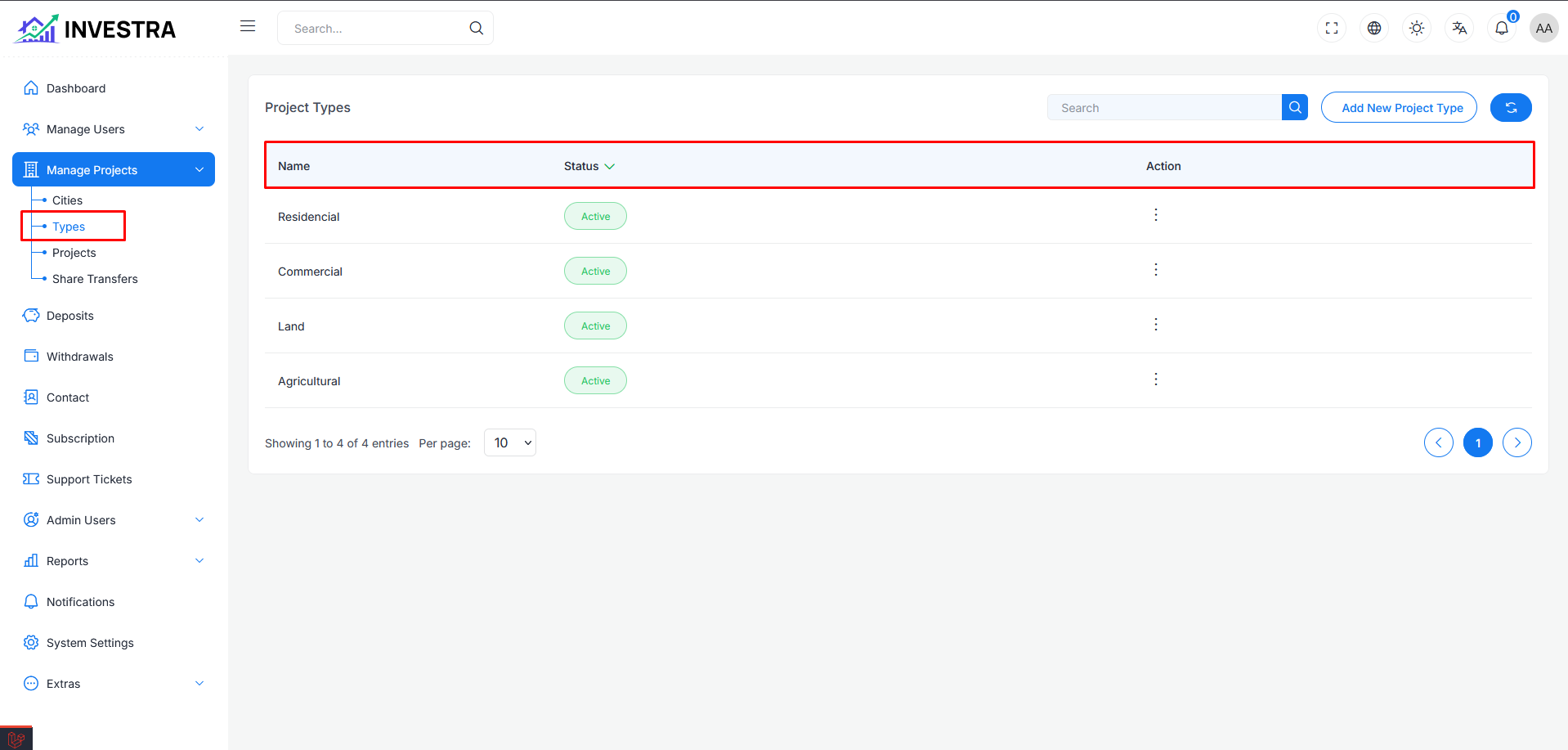
The Project Types page displays all available project categories in a table format. You can access this section from the sidebar under Manage Projects → Types.
Each type displays:
- Name: The name of the project type (e.g., Residential Apartments, Commercial Apartments and Hotels)
- Status: Shows whether the type is Active or Inactive
- Action: Options to manage each project type
Type Management Actions
Action Menu Options
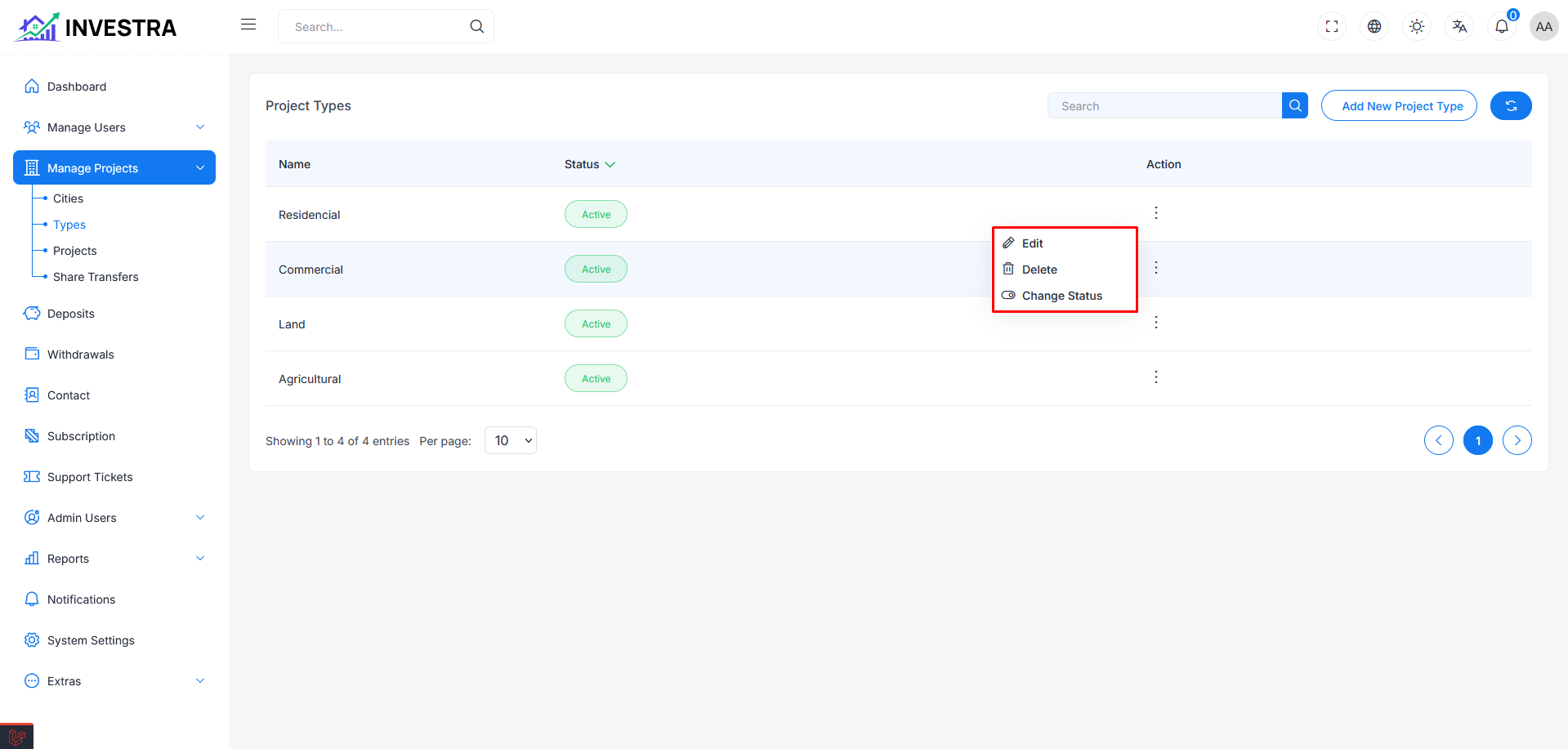
Each project type row includes an action menu (three dots) with the following options:
- Edit: Modify project type details including name and icon
- Delete: Remove the project type from the system
- Change Status: Toggle between Active and Inactive status
Edit Project Type
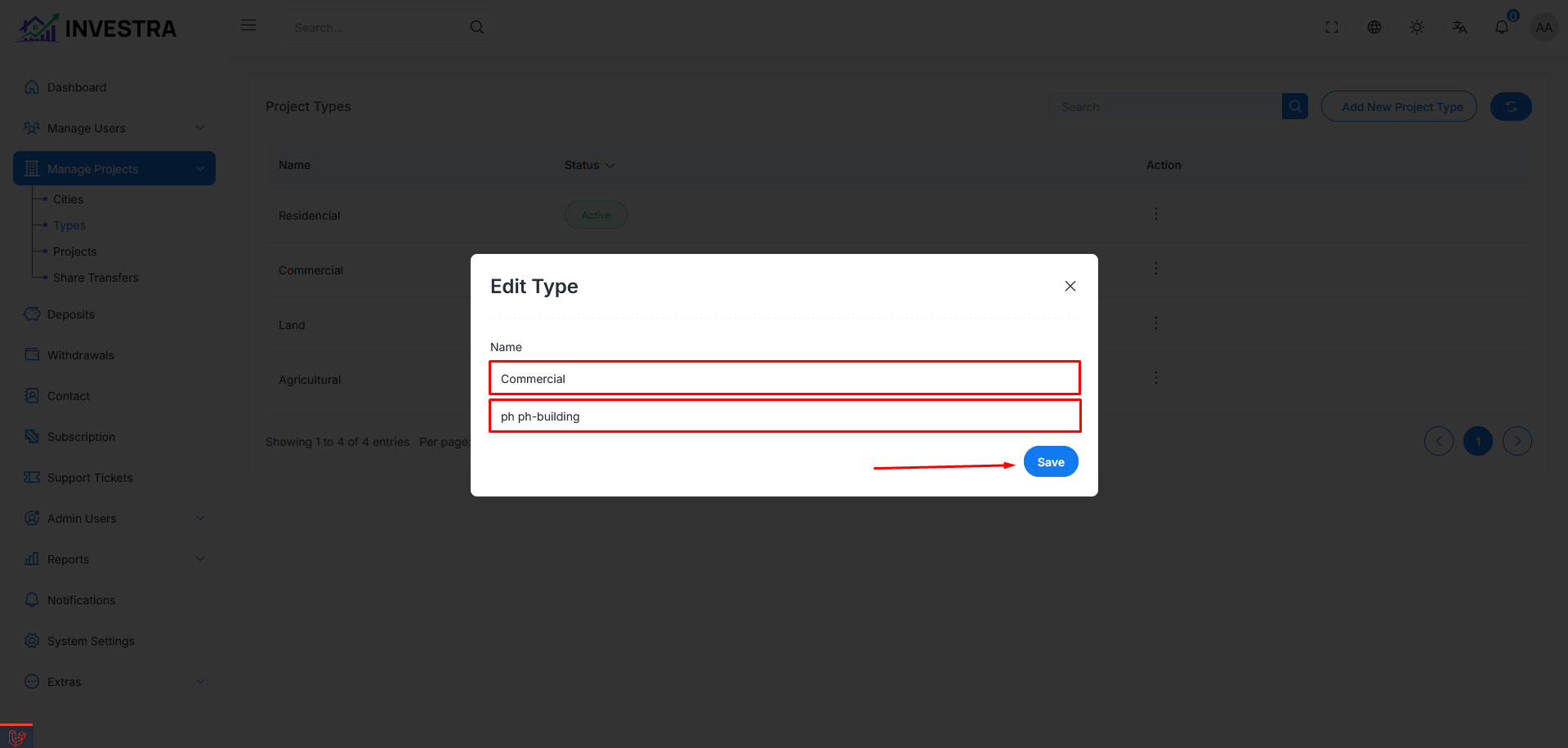
When selecting "Edit" from the action menu, a modal dialog opens allowing administrators to modify:
Edit Type Modal
- Name Field: Update the project type name
- Icon Field: Set an icon for the type using icon class names (e.g.,
ph:ph-house) - Save Button: Apply changes to the project type
Add New Project Type
Administrators can create new project types using the Add New Project Type button located in the top-right corner of the interface. The creation modal includes the same fields as the edit modal:
- Name: Enter the new project type name
- Icon: Specify an icon class for visual identification
- Save: Create the new project type