Common Requirements
Before installing investra, make sure your system meets the following requirements.
These requirements apply to both local development and server environments (cPanel/VPS/Cloud).
🚨 Attention When Deploying to cPanel
We do not recommend deploying this project on cPanel for the following reasons:
Two-Part Architecture
The project consists of two separate parts:
-
Admin with API (Laravel)
-
Client (Next.js)
Managing and running both within a cPanel environment can be complex and unreliable.
Node.js Limitations
The Next.js client requires a Node.js runtime, but Node.js is not supported on most cPanel servers.
Only certain cPanel servers — usually those running CloudLinux with Node.js support — can handle Node.js apps.
Performance Concerns
Even if Node.js is supported, cPanel’s shared hosting environment can limit CPU and memory, causing slow build times or unexpected crashes during deployment.
Recommendation:
For a smoother experience, we recommend using VPS or cloud-based hosting (e.g., DigitalOcean, AWS, Linode, Vultr) where you have full control over the environment and can run both Laravel and Next.js without restrictions.
Or you can deploy only admin on cPanel and client on Vercel.
🧾 General Requirements
- PHP Version: PHP 8.4 or higher for Laravel 12 (If you want to use other (v8.2+) php version you should delete composer.lock and run composer install.)
- Node.js: Node.js 22 or higher for Next.js
- Web Server: Apache, Nginx, or cPanel-based servers
- Database: MySQL 5.7+ or MariaDB
- RAM: 4 GB or more recommended
- Disk Space: 20 GB or more recommended
🔑 How to Get Purchase Code
To verify your license, you will need your Item Purchase Code. Follow these steps to find it:
- Log in to your CodeCanyon/Envato Market account.
- Hover over your username in the top right and click Downloads.
- Locate Investra in your list of purchases.
- Click the Download button next to the item.
- Select License certificate & purchase code (pdf) or License certificate & purchase code (text).
- Open the file to find your Item Purchase Code.
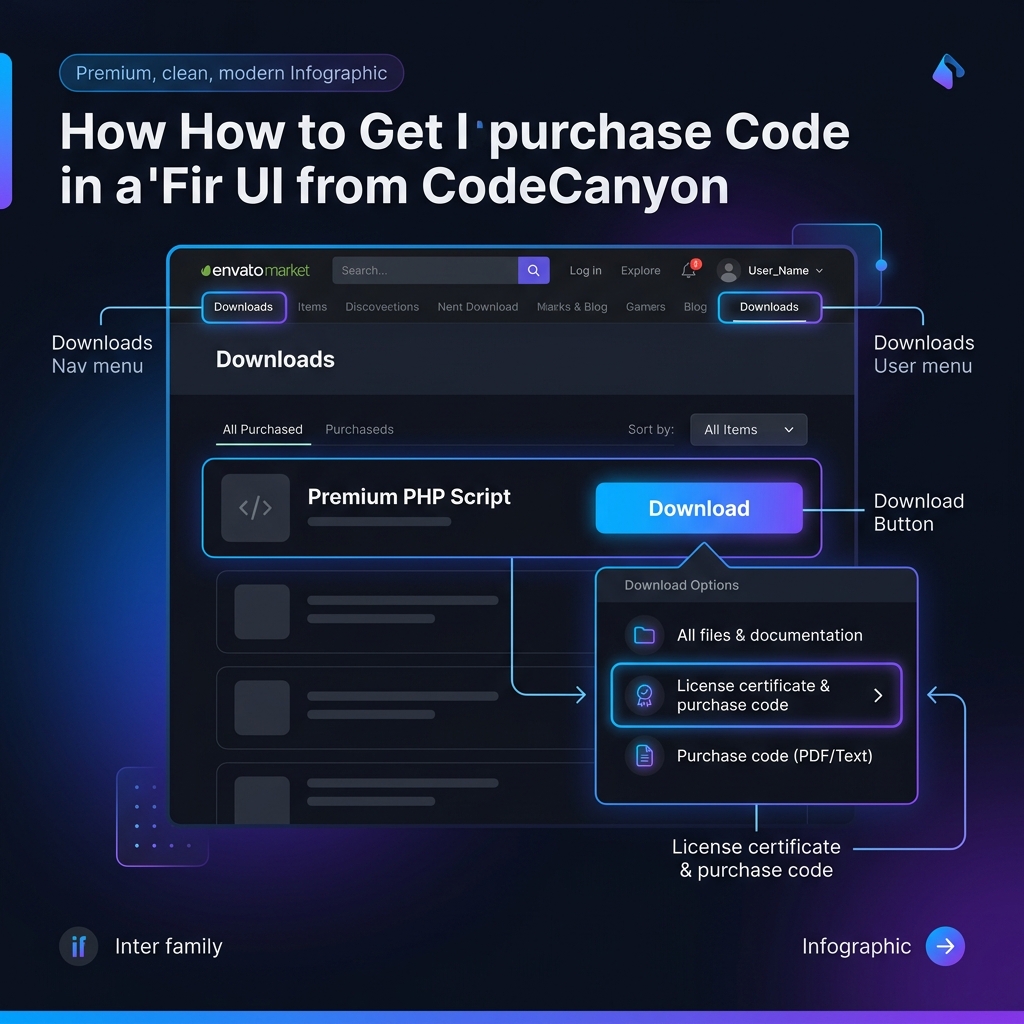
✅ Required PHP Extensions
Ensure these PHP extensions are enabled:
BCMathCtypeFileinfoJSONMbstringOpenSSLPDOTokenizerXMLDomXMLReaderXMLWritercURLZipgettextexifmysqliGDIntl(for localization support)
🔐 Permissions
Make sure the following folders are writable:
/storage
/bootstrap/cache
For Linux or macOS, you can run:
chmod -R 775 storage bootstrap/cache
chown -R www-data:www-data storage bootstrap/cache
For Windows, make sure these directories allow write access via file explorer or CMD.
📁 Environment Configuration
Make sure to copy .env.example to .env:
cp .env.example .env
Then generate the application key:
php artisan key:generate
🕓 Cron Job (For Scheduled Tasks)
To run automated tasks, setup the following cron job:
* * * * * /usr/bin/php /path-to-your-project/artisan schedule:run >> /dev/null 2>&1
Update /usr/bin/php and /path-to-your-project/ according to your environment.
🌐 Browser Support
investra supports all major modern browsers:
- Chrome (latest 3 versions)
- Firefox
- Safari
- Edge
If you face any issues with missing extensions or setup errors, please refer to the installation section or contact support.