cPanel Update
This document will help you to update the Investra admin panel using cPanel.
Step 1: Login to cPanel
At the very first login to your cPanel account.
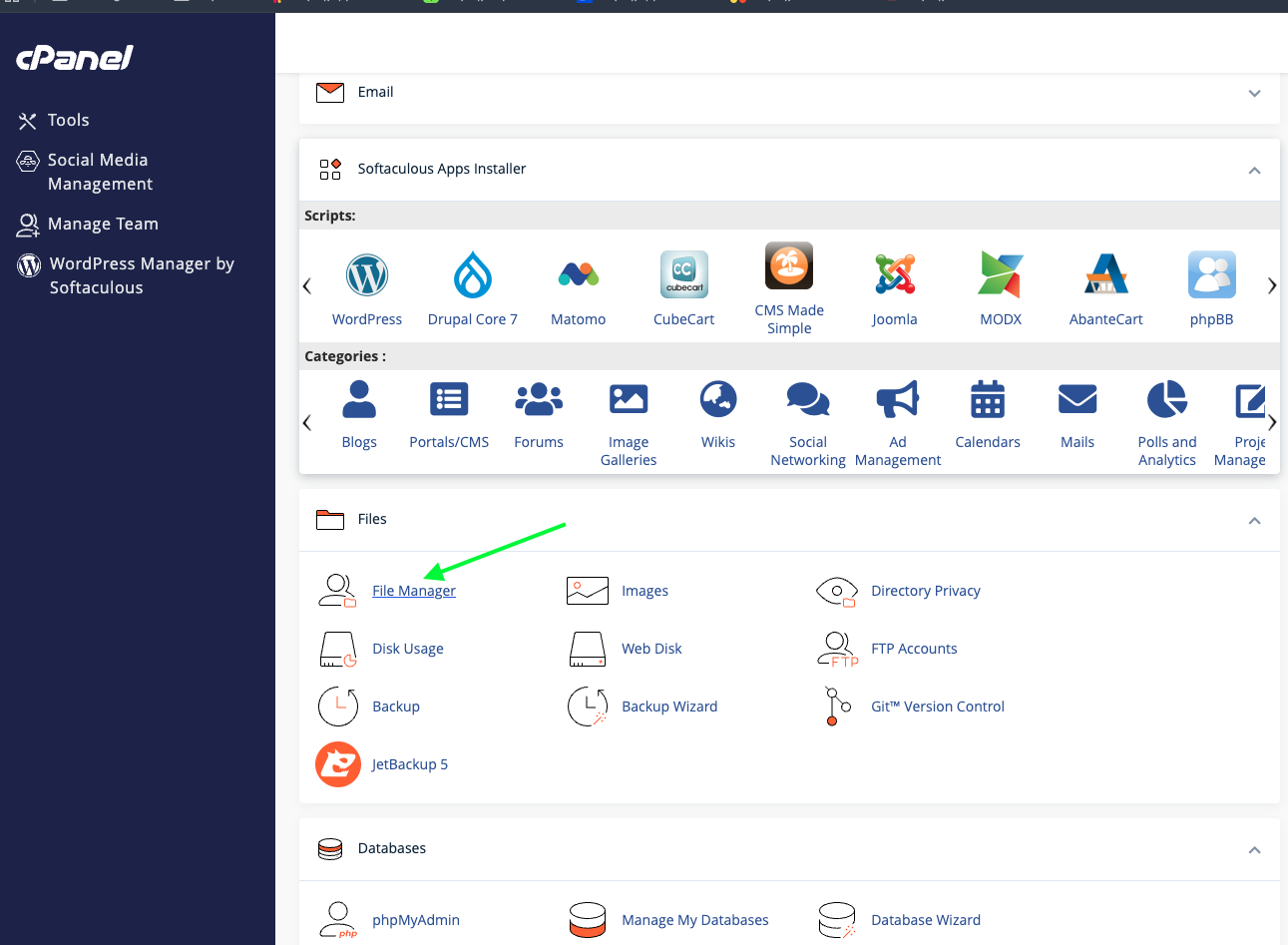
Then go to the project directory and click on the File Manager.
Step 2: Admin Panel Update
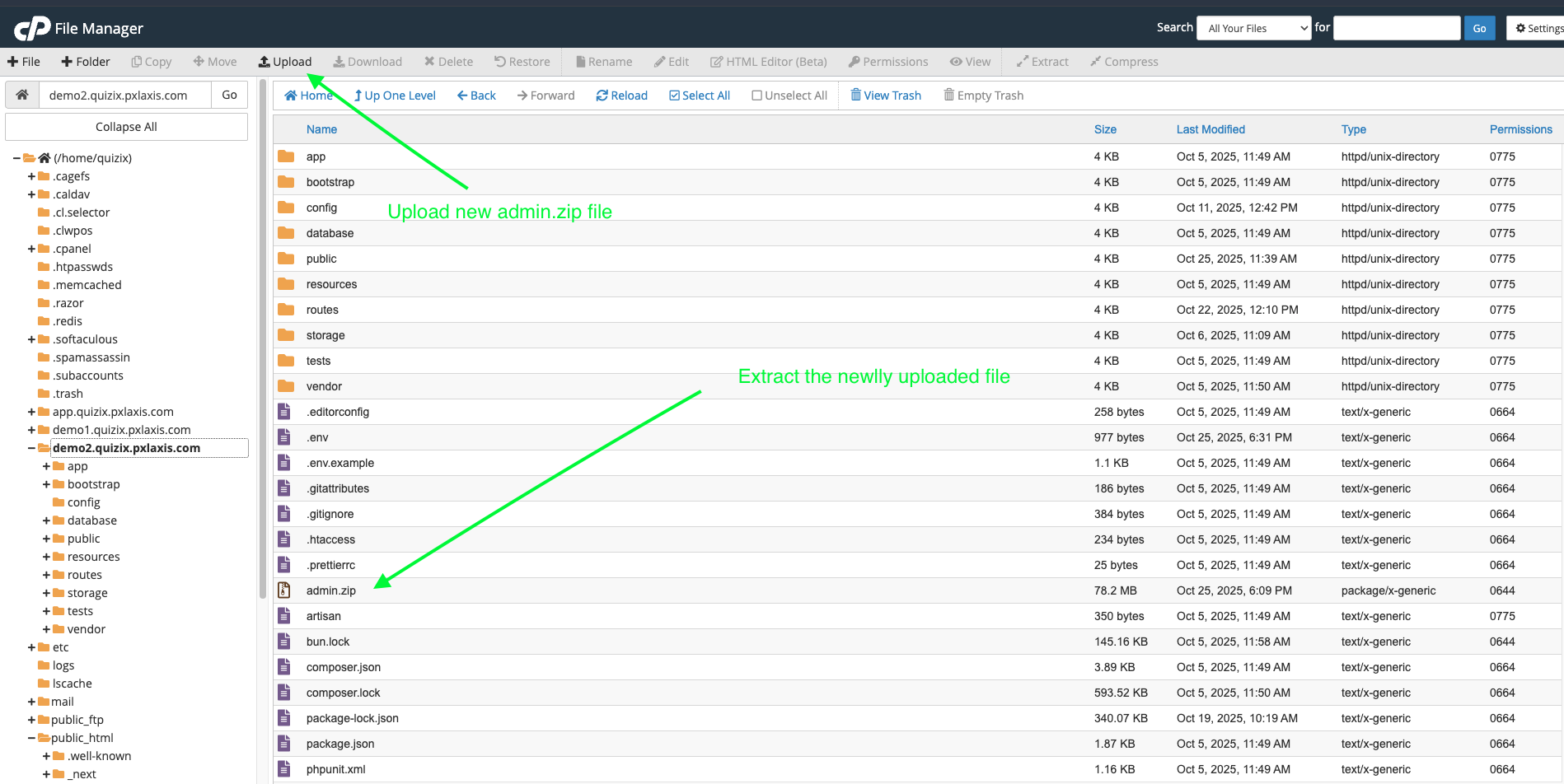
Now go to admin panel project directory. Now upload the admin.zip file and extract it.
This will replace your old admin panel files.
Step 3: Clear Cache
Now go to your admin panel and login to it and then go to Extra menu on bottom and click on Info menu.
Clear the cache
Note: It's important to clear the cache to make sure that the new update is loaded.
Conclusion
Congratulations! You have successfully updated the admin panel on cPanel.